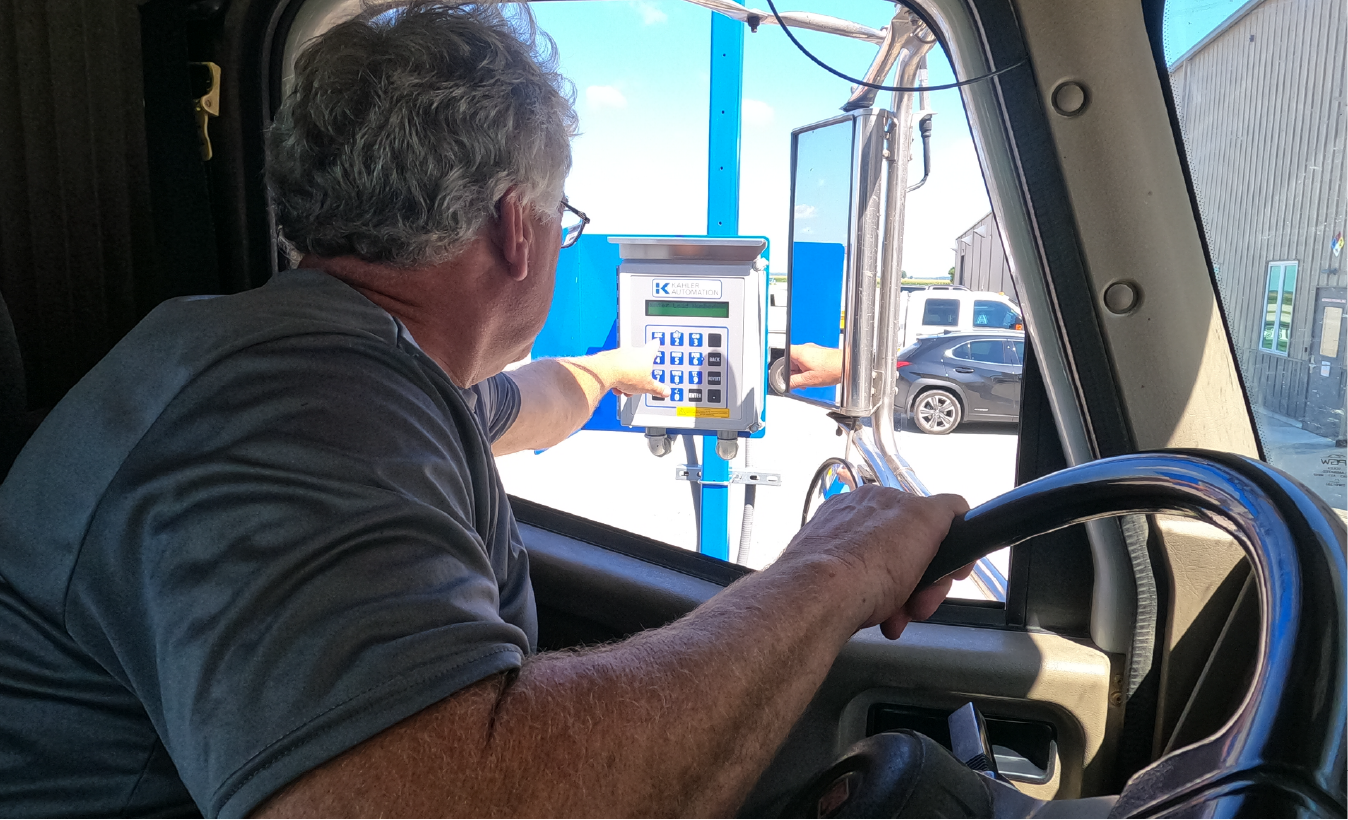
Increased efficiency
Improve loading and receiving speeds while reducing truck wait times and operational downtime.
.png?width=300&height=90&name=LOADPASS%20(1).png)
Your complete truck traffic control solution.
WE ARE KAHLER AUTOMATION
Improve loading and receiving speeds while reducing truck wait times and operational downtime.
Reduce errors by guiding drivers through consistent workflows and minimizing manual data entry.
Monitor and manage truck activity from a tablet anywhere in your facility, enabling faster decisions and more responsive operations.
Reduce the need for drivers to leave their trucks or enter active operational areas.
Reduce unnecessary labor, delays, and resource expenses associated with manually coordinating truck traffic.
Provide drivers with timely instructions while giving facility teams greater visibility into upcoming and active truck traffic.
Give drivers clear directions, guided workflows, and faster turnaround times.
Support increasing truck volumes and more complex facility operations as your business grows.
Every feature in LOADPASS is designed to streamline truck traffic, improve communication, and help drivers and operators move through loadout and receiving with greater speed, consistency, and confidence.
Before arriving, drivers can enter their order information, select their destination, configure transport compartments, and receive a LOADPASS Code. Upon arrival, they scan the code to check in and begin the facility’s configured loadout or receiving workflow.
Through a direct connection to the scale indicator, LOADPASS guides drivers through capturing and confirming required weights while allowing them to remain in their trucks.
Drivers can confirm applicable load information, sign digitally, and receive an electronic ticket. Printed tickets may also be available based on the facility’s configuration.
Drivers can view facility business hours and available estimated wait-time information to better plan their arrival.
Facility teams can view staged orders and their current statuses to anticipate upcoming truck volume and monitor activity.
On-site touchscreen kiosks can support LOADPASS workflows for drivers who do not have or choose not to use a smartphone.
Facility Access is an optional capability commonly used at unattended or 24/7 facilities as part of a loadout or receiving workflow.
Drivers scan their LOADPASS Code to verify identity and authorization before gaining access to a controlled area. Based on the facility’s configuration, an authenticated scan can open or activate:
Whether managing loadout or receiving, LOADPASS adapts to your facility's configured processes, guiding drivers through every step while improving efficiency, reducing congestion, and increasing operational visibility.
LOADPASS guides drivers through the loadout process, from order staging through ticket delivery.
Depending on the facility's configuration, drivers can stage an order before arriving, scan their LOADPASS Code upon arrival, gain access to the facility, receive a bay assignment, follow loading instructions, capture required scale weights, sign digitally, and receive their ticket.
By guiding drivers through each step, LOADPASS helps facilities reduce congestion, minimize operator interaction, and move trucks through the facility more efficiently.
Key capabilities may include:
LOADPASS provides drivers with guided workflows for receiving bulk products. Depending on the facility's configuration and connected equipment, the receiving process may include scale weights, metered quantities, purchase orders, or manually entered delivery quantities.
Drivers can scan their LOADPASS code upon arrival, gain access to the appropriate receiving area, follow site-specific instructions, capture or confirm required information, and complete the receiving process.
LOADPASS helps standardize receiving from arrival through completion while improving visibility and reducing manual coordination between drivers and operators.
Supported workflows may include:
The platform supports both scaled and unscaled receiving options, including driver-reported quantities and integration with receiving applications depending on the site's configuration.
*Available workflows depend on the facility's configuration, connected equipment, and supporting Kahler applications.
LOADPASS does not directly connect to or manage third-party business-system integrations.
Depending on the customer’s system configuration, order, customer, product, purchase order, and other business data may flow between a third-party system, Constellation®, and Terminal Management TMX®. TMX then provides the applicable data and workflow instructions to LOADPASS.
LOADPASS can connect directly to supported facility equipment, such as scale indicators, gates, and doors, as part of a configured loadout or receiving workflow.
Available integrations, data flows, and mapping requirements depend on the customer’s Constellation, TMX, and third-party system configuration.
LOADPASS is replacing the KA-2025 as Kahler's mobile driver check-in solution. Review important dates, support timelines, and upgrade information before planning your next project.
KA-2025 Obsolescence Notice
.png?width=167&height=50&name=LOADPASS%20(1).png)
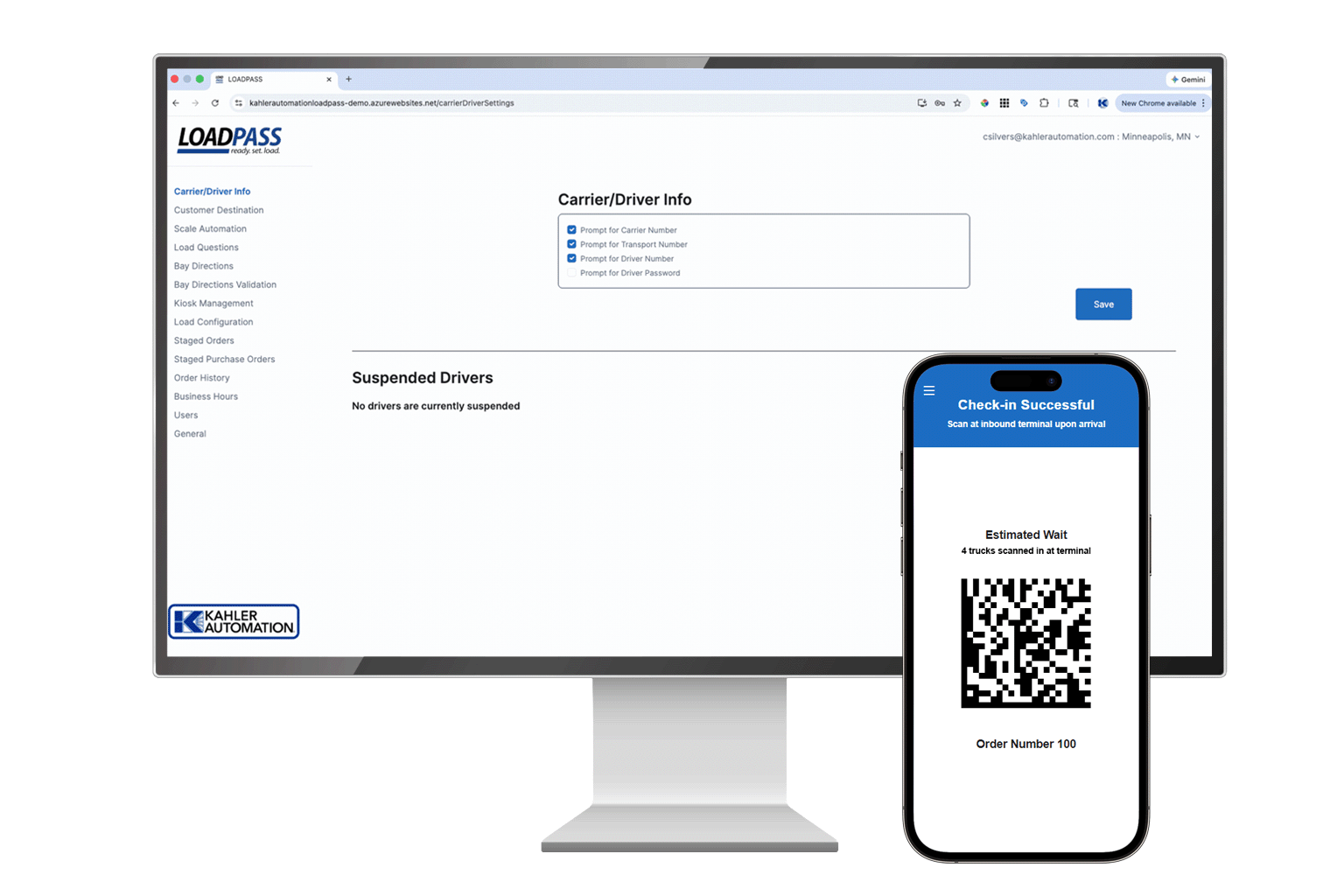
Simplify loadout, receiving, and facility access with LOADPASS.